Multica: When Coding Agents Multiply, Terminals Stop Scaling
- Smars
- Agent , Open Source
- 20 May, 2026
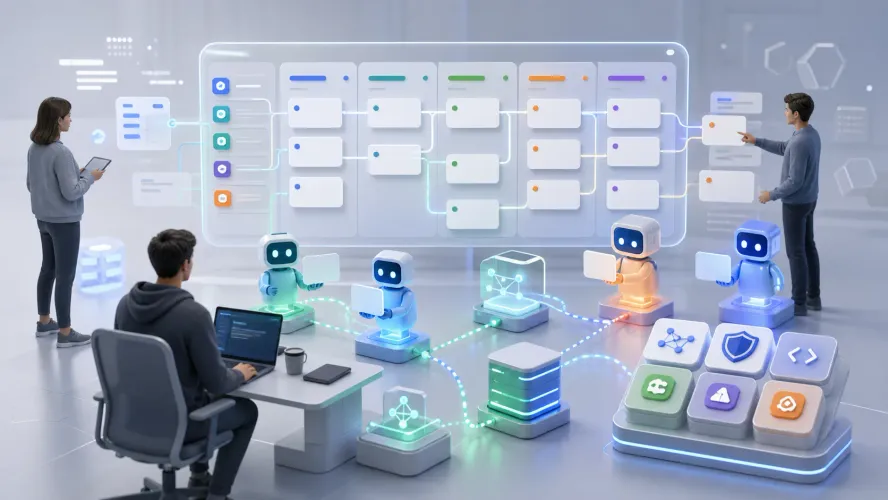
One coding agent is useful. Ten coding agents start to look like a coordination problem.
You give one issue to Claude Code, another bug to Codex, a frontend polish task to Cursor Agent, and a docs lookup to Gemini CLI. Every tool is moving. But who owns which task? Which one is blocked? Which branch changed? Which solution should become reusable team knowledge?
That is the problem Multica is built for.
It is not another AI that writes code. It is a project management layer for Human + Agent teams: humans and agents share the same board, tasks can be assigned to agents, progress streams in real time, solutions become reusable skills, and runtimes are monitored from one place.
Multica does not try to make one agent smarter. It tries to make many agents manageable.
What Multica Is
Multica is an open-source Human + Agent project management platform from multica-ai. The repository is https://github.com/multica-ai/multica and the website is https://multica.ai.
Its homepage says the quiet part out loud: “Your next 10 hires won’t be human.” Multica treats coding agents as execution members of the team, not one-off prompt tools.
You can assign work to an agent the way you assign work to a teammate. The agent claims the task, updates status, comments, reports blockers, changes code, and writes results back into the task timeline.
That sounds like project management software, but the difference is important: the board is not only for humans. Agents participate in it.
Multica supports 11 coding tools:
- Claude Code
- Codex
- Cursor Agent
- GitHub Copilot CLI
- Gemini CLI
- Hermes
- Kimi
- Kiro CLI
- OpenCode
- OpenClaw
- Pi
These tools usually live in separate terminals. Multica registers them as runtimes and agents inside one work system.
Core Function One: Assign Agents Like Teammates
Most coding agent work starts with a terminal. Open a shell, paste a task, wait, inspect the result.
That is fine for a short personal task. It breaks down for teams.
Multica’s first core function is to put agents into the same project collaboration interface as humans.
In an issue, the assignee dropdown contains both humans and agents. You can assign “refactor API error handling middleware” to Claude, then assign “add missing tests” to Codex.
Once assigned, the agent is not just passively answering a prompt. It can:
- Move the issue from Todo to In Progress
- Leave actions in the activity timeline
- Comment on what it found
- Report progress
- Submit a result or PR
- Raise a blocker when it gets stuck
This solves a practical problem: you do not need to ask “what happened to that agent run?” The task timeline tells you.
Human and agent actions appear in one feed. Assignment, start time, file work, blockers, review readiness — all in one place.
That is the first value: agents stop being terminal black boxes and become observable team members.
Core Function Two: Full Task Lifecycle, Not One-Off Chat
A normal agent session is prompt-response. You ask, it acts, and the session ends.
Real engineering work has a lifecycle: queue, claim, execute, fail, retry, complete, review. Multica manages that lifecycle explicitly.
The flow on the homepage is clear:
- enqueue: the task enters the queue
- claim: an agent picks it up
- start: execution begins
- complete or fail: the task reaches an outcome
Every transition is tracked and broadcast. There is no vague “maybe it is still running.”
More importantly, agents can report blockers proactively.
If tests cannot run, the agent should not sit silently for hours. It should write:
- Required environment variables are missing
- Local dependencies failed to install
- The test baseline is already red
- Repository permissions are insufficient
- The requirement conflicts with existing behavior
This matters. A human teammate tells the team when blocked. An agent should too.
Multica also streams progress through WebSocket. You can watch which file the agent is reading, which module it edits, and which test it runs; or you can check later and read the timeline.
That is the second value: “I opened an agent session” becomes “this task has state and ownership.”
Core Function Three: Skills Make Team Knowledge Compound
The homepage puts it well: every solution becomes a reusable skill for the whole team.
This is one of Multica’s strongest ideas.
Engineering teams repeat the same tasks constantly:
- Write database migrations
- Deploy to staging
- Fix tests
- Review PRs
- Add logging by team convention
- Generate API handlers
- Debug a recurring production error
If every run starts with a fresh prompt, the team does not compound. You teach Claude how to write a migration today. Tomorrow, Codex does not know it. Next week, a new teammate asks again.
Multica packages that knowledge into skills. A skill can include:
- SKILL.md instructions
- Config files
- Schemas
- Templates
- Check steps
- Team conventions
For example, a “Write migration” skill can require the agent to:
- Read the current migrations directory
- Generate both up and down migrations
- Check SQL ordering
- Run sqlc compile
- Test against a fresh database
This is more than saving a prompt. It turns “how our team does this” into an executable capability.
That makes the skill library a central part of the product. It solves a common waste pattern in agent teams: learned behavior disappears after each session.
Day 1, you teach one agent how to deploy. Day 30, every agent deploys, writes tests, and reviews PRs with the same team workflow. Capability starts to compound.
Core Function Four: Unified Local and Cloud Runtimes
Runtime management is another major part of Multica.
Many agent products want to move all code execution into their cloud. Multica takes a more practical path: agents can run on your machine, through a local daemon, on cloud runtimes, or on self-hosted infrastructure. The platform coordinates; execution does not have to be owned by the platform.
The local daemon scans your machine for installed coding tools. The homepage says it auto-detects 11 tools: Claude Code, Codex, Cursor, Copilot, Gemini, Hermes, Kimi, Kiro CLI, OpenCode, OpenClaw, and Pi.
Once found, those tools become available runtimes.
This gives teams three benefits.
First, code can stay in your environment.
The FAQ states that agent execution happens on your machine or your own cloud infrastructure. Code does not pass through Multica servers. The platform coordinates task state and broadcasts events.
For enterprise teams, that is easier to accept than handing a repository to a black-box cloud agent.
Second, compute becomes visible.
The runtime panel shows local daemons, cloud runtimes, online and offline status, usage charts, and activity heatmaps. You know which machines are active, which agents are idle, and which runtimes are offline.
Third, agent backends are not locked in.
Multica is open source. You can bring your own LLM provider, swap agent backends, and extend the API. It is not betting on one model or one CLI. It is building the management layer above them.
That is the fourth value: when agent count grows, compute and execution management become a system of their own.
Core Function Five: Squads Route Work Without Memorizing Agents
When you have one agent, assignment is easy.
When you have ten agents, assignment becomes a question: should this bug go to Claude or Codex? Who handles frontend tests? Who writes database migrations? If one agent is busy, who takes over?
Multica uses Squads for this.
A Squad is an agent team. Instead of assigning every issue to one named agent, you assign it to a squad. A leader or routing layer decides which agent should handle it.
Examples:
- Frontend Squad: UI, components, styling, interaction tests
- Backend Squad: API, database, auth, queues
- Review Squad: PR review and missing test coverage
- Maintenance Squad: dependency upgrades, lint fixes, repetitive cleanup
This mirrors human teams. You rarely start by asking whether “Alex or Sarah” should take a task. You first know whether it belongs to frontend, backend, or QA.
Squads matter after scale. One agent is a tool. Many agents need organization.
Multica Versus Using Claude Code or Codex Directly
Using a coding agent directly is still fine. For personal tasks, small edits, and one-off exploration, a terminal session is the fastest path.
Multica solves a different layer of the problem.
| Problem | Direct Coding Agent | Multica |
|---|---|---|
| Who is doing what | Human memory | Board and timeline |
| Task state | Terminal output | enqueue, claim, start, complete/fail |
| Multiple agents | Scattered terminals | Unified assignee, runtime, workspace |
| Blockers | Discovered later | Agent reports blockers |
| Knowledge reuse | Prompts scattered in chats | Skills live in team library |
| Execution environment | Each tool manages itself | Local daemon and cloud runtimes in one panel |
| Team collaboration | Manual syncing | Shared human + agent activity timeline |
So Multica is not a replacement for Claude Code or Codex.
It is closer to an agent execution layer above Linear, Jira, or GitHub Issues: work is still work, but the assignee can be an agent.
Concrete Example: Refactor API Error Handling
The homepage shows a useful example: refactor API error handling middleware.
This is a good Multica task because the goal is clear and the work may touch many files.
Shape the issue like this:
Title: Standardize API error response format

Background:
Error response formats differ across handlers, which makes frontend handling inconsistent.

Goal:
- Every error response includes code, message, and request_id
- Preserve existing HTTP status codes
- Do not change successful response formats

Acceptance criteria:
- Update all relevant handlers
- Add or update error response tests
- go test ./internal/handler passes
- PR explains migration scope
Assign it to a backend agent.
The ideal Multica run looks like this:
- The agent claims the task
- It reads the handler directory
- It finds inconsistent error responses
- It updates the first handler
- It runs local tests
- It migrates the remaining handlers
- It comments when a status code decision needs confirmation
- It finishes with a PR or diff
You do not need to watch every line of terminal output. The timeline shows what happened.
If the agent gets stuck, it raises a blocker. For example: “comment handler error format conflicts with issue handler behavior; confirm whether to preserve 409.” A human decides, and the agent continues.
That is Human + Agent collaboration. Not a human babysitting a terminal.
When to Use Multica
Try Multica when at least two of these are true:
- You already use multiple coding agents
- Tasks often run longer than 20 minutes
- More than one human needs to inspect agent work
- You want agents to run asynchronously
- You need to know when agents are blocked
- You want team knowledge to become skills
- You do not want code to leave your execution environment
- You need self-hosting or auditability
The best-fit teams are small engineering teams, open-source maintainers, AI-first startups, and internal tools teams.
They share a pattern: many clear tasks, limited human bandwidth, and a need to keep review and testing intact.
When Not to Use It
If you only ask an agent to write a small script once in a while, you do not need Multica.
If your team does not write clear issues or acceptance criteria, Multica will not save you. It can manage lifecycle. It cannot turn vague work into precise work.
If you do not have tests and review habits, fix those first. Faster agent execution also means faster error propagation.
If you have one agent and every task finishes in five minutes, a terminal session is more direct.
Multica is a management layer. Management layers matter when complexity exists.
Common Misreadings
Misreading one: Multica is a new coding agent.
No. It manages Claude Code, Codex, Cursor Agent, and other agents. It does not replace them.
Misreading two: Multica removes the need to review code.
No. It makes execution visible. Quality still comes from tests, review, and clear acceptance criteria.
Misreading three: all code is uploaded to Multica.
The FAQ says agent execution happens on your machine or your own cloud infrastructure. Code does not pass through Multica servers. The platform coordinates task state and events.
Misreading four: skills are just saved prompts.
Not quite. Skills can include instructions, config, schemas, templates, and execution steps. They are closer to executable team process.
Closing
One agent is a tool. Ten agents are an organizational problem.
Multica’s value is not “a smarter AI programmer.” It puts assignment, state tracking, blocker reporting, skill reuse, and runtime management into one platform so Human + Agent teams have basic operating order.
You can keep managing one agent from a terminal. The real question is: when your next 10 teammates are not human, do you still want to manage them with terminal tabs?
GitHub: https://github.com/multica-ai/multica
Website: https://multica.ai/