Five Things Claude Code 102 Teaches Academic Researchers
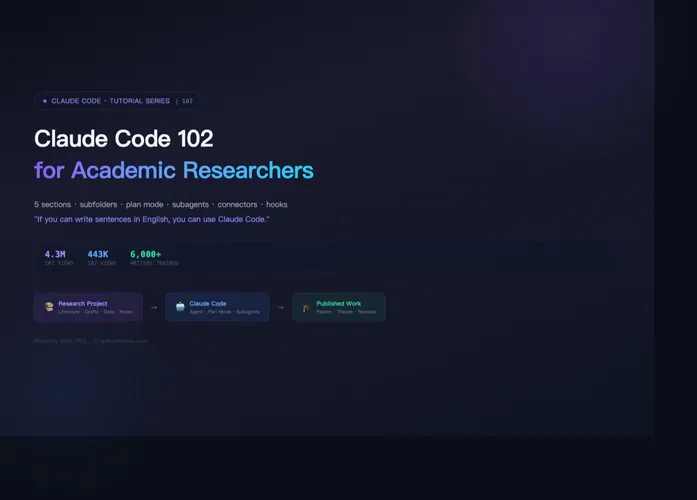
On May 11, 2026, Mushtaq Bilal, PhD published “Claude Code 102 for Academic Researchers,” the second installment in his tutorial series. The first part, Claude Code 101, racked up 4.3 million views in under a week. The 102 follow-up crossed 440,000 views within hours. Bilal’s promise is disarmingly direct: you do not need any technical background to understand these tutorials. If you can write sentences in English, you can use Claude Code. This is not marketing copy. It is the methodological foundation of the entire series — wrapping agent capabilities into mental models that academic researchers already understand.
Bilal is an academic writing coach who has helped over 6,000 researchers improve their writing productivity and the founder of ChatAcademia.com. His motivation is clear: AI agents have enormous potential in academic research, but most researchers are locked out by technical barriers. Claude Code 101 covered the absolute basics — opening a folder, adding PDFs, writing a single CLAUDE.md file. Tutorial 102 builds on that foundation with a complete methodology for long-term, complex research projects. The five takeaways below all answer the same question: when your project spans months or years, involves hundreds of papers and multiple drafts, can a coding agent still help?
Subfolders are knowledge boundaries
Bilal’s first insight is about project organization. Most people, when they start with Claude Code, dump everything into one folder with one generic CLAUDE.md instruction. This works for short projects. But when your project grows into a multi-dimensional structure with literature, drafts, data, meeting notes, and correspondence, a single folder with a single instruction breaks down fast. Claude Code cannot distinguish between contexts. Summarizing a hundred papers and critiquing a single chapter draft get processed through the same fuzzy rule set.
Bilal’s solution is subfolders with nested CLAUDE.md files. Inside your main project folder, create subfolders: Literature, Chapters, Data, Notes, Correspondence. Each subfolder gets its own CLAUDE.md file with instructions specific to that module. The global CLAUDE.md describes who you are, what the project is about, and what academic conventions to follow — it serves as a constitution. Each local CLAUDE.md functions like departmental regulations, applying only within that subfolder. When you work in the Chapters folder, Claude Code reads both the constitution and the departmental rule set, gaining both global context and chapter-level precision. The elegance of this architecture is that it is not a technical solution — it is an information architecture solution. Anyone who has done long-term research already knows how to organize folders. Claude Code simply translates that intuition into agent context rules.
Plan mode protects against expensive mistakes
Bilal draws a clear line between two types of tasks. Simple, low-stakes tasks — renaming PDFs in the Literature folder — can go straight to Claude Code for execution. Complex, high-stakes tasks — synthesizing notes from thirty-five research papers into a coherent review — require a different approach. If Claude Code misunderstands your intent on a complex task, you will not find out until it has finished.
Claude Code’s Plan Mode is designed for exactly this scenario. Instead of acting immediately, the agent writes out a step-by-step plan of what it intends to do. You review the plan, request amendments if needed, and only then authorize execution. Bilal uses a simple analogy to explain why this matters: you would not tell your research assistant “go draft chapter three” without asking about their approach first. Plan Mode is not a technical constraint. It is a communication protocol — forcing the agent to align with human intent before taking action. For any task involving three or more steps, spanning multiple subfolders, or producing long-form output: use Plan Mode first. This is the first rule distilled from 440,000 views.
Subagents give your agent superpowers
The most imaginative section of the tutorial covers subagents. Bilal identifies two core problems with a single-agent approach: context clutter and sequential dependency. When you ask Claude Code to read twenty papers and then draft a chapter in the same session, every paper and every exchange piles into the same context window. This is context clutter, and it degrades both speed and precision over time. Worse, with one agent you can only execute tasks sequentially. If you want three independent critiques of your manuscript — one from a theorist, one from an information scientist, one from Reviewer 2 — you cannot run them in sequence because each critique contaminates the next one.
Subagents solve both problems by creating isolated sessions. Each subagent has its own context window and its own dedicated instructions. Subagents do not read the main project CLAUDE.md — they follow only their own .md file. When you delegate a task from your main session to a subagent, its reading and reasoning stay inside the subagent. Your main session receives only the final result. Bilal provides several researcher-specific examples: a Literature Reviewer subagent that produces structured summaries of every new paper, a Citation Checker that verifies every in-text reference against the Literature folder, a Methodology Auditor that validates methods sections for empirical projects, and a Reviewer 2 subagent that critiques drafts from a hostile perspective. These subagents can run in parallel — critiquing the same chapter from two different perspectives simultaneously, producing independent reports without contaminating each other or the main session.
Connectors take agents beyond the folder
By default, Claude Code can only operate on files inside your project folder. But academic research has never been folder-bound. Citations live in Zotero. Drafts live in Google Drive. Meeting records live in Zoom. When Anthropic introduced the Model Context Protocol in 2024, these applications became addressable through connectors that integrate with Claude Code. Bilal’s tutorial skips every technical detail and tells you only two things: where to click the connect button, and what you can do once connected.
His example is concrete. Connect Zoom to Claude Code and type: “Pull the transcripts of my three recent calls with my colleague. Extract all comments related to Chapter 4 in Drafts. Save all extracted comments in a new file in the Correspondence folder with today’s date.” Claude Code executes across applications — reads Zoom transcripts, extracts relevant content, writes to a local file. Connectors and subagents can also work together: create a Literature Review subagent that pulls new papers through a PubMed or arXiv connector automatically. Bilal includes a critical warning here: do not connect apps containing confidential unpublished data. Agent convenience and data security are two sides of the same coin.
Hooks and scheduled tasks are insurance for research
The final chapter covers backups and automation. Bilal’s instinct is correct — the most overlooked risk in academic research is file loss. First drafts of papers are supposed to be bad. But if you do not keep every version, you lose the ability to return to an early draft that, however messy, had a valuable structural idea.
Hooks are Claude Code’s event-driven mechanism: when a specific event occurs (say, you ask Claude Code to edit a file), the hook automatically triggers an action (say, copying the current version to a backup folder). Bilal’s example is the most practical one: create a “pre-edit safety hook” that, before editing any chapter, copies the current version to a backup folder with a timestamp. You never lose a single version of any draft.
Scheduled tasks handle periodic work: every Monday at 9 AM, pull the latest papers from PubMed, hand them to the Literature Review subagent for screening, and save the results to a specified folder. Bilal includes a restraint principle worth engraving on every agent user’s desk: do not automate anything you have not done manually at least four times. Automation should not amplify good ideas. It amplifies bad decisions just as efficiently.
Bilal’s 102 tutorial, like its predecessor, is written in plain language with actionable steps. He does not try to turn researchers into Claude Code experts. He gives them a methodology they can apply immediately. When a platform with two hundred million users chooses the CLI as its agent interface, and when an academic writing coach can teach hundreds of thousands of people to use a coding agent in plain English, both signals point in the same direction: agents are moving from a technician’s tool to standard equipment for every knowledge worker.
Using an AI agent in academic research is no longer a technology problem — it is an organization methodology problem. If you can organize your folders, you can organize your agent.