skills.sh: Vercel Is Building the npm for Agent Skills
- Smars
- Open Source , Agent , Developer Tools
- 26 May, 2026
The Problem
Open any coding agent today—Claude Code, Cursor, Codex, OpenCode—and you will find a skill system. Frontend design skills, SEO audit skills, PR generation skills. Every agent’s ecosystem has them. But here is the problem: if you write a frontend design skill for Claude Code and want it on Cursor too, you rewrite the whole thing. Different paths, different formats, different loading mechanisms. The same knowledge, ported between agents, costs nearly as much effort as building it from scratch.
Discovery is even worse. Beyond the handful of skills that Anthropic officially recommends, the rest are scattered across GitHub repos, blog posts, and chat screenshots. There is no npm-like search to see what the community has built. No leaderboard. No categories. No ratings. The skill ecosystem is an archipelago of isolated islands.
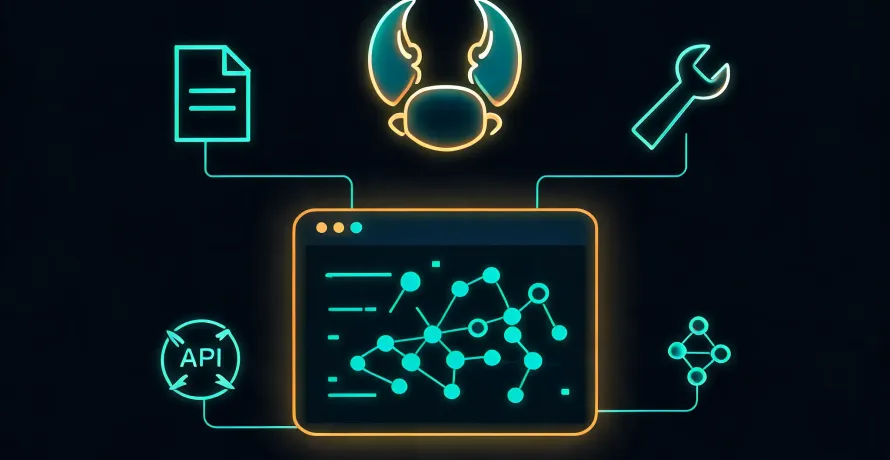
skills.sh aims to solve exactly this. It is not one agent’s skill system. It is every agent’s skill system—a universal skill distribution layer.
Project Overview
skills.sh is an open-source project from Vercel (vercel-labs), released under the MIT license in early 2026. It has two parts: a CLI tool called skills, and a web directory with a leaderboard at skills.sh.
The directory currently hosts hundreds of skills with over 410,000 total installs. The top three are find-skills (1.5M installs), frontend-design (420K), and vercel-react-best-practices (390K). Contributors include not just Vercel but Anthropic, Microsoft, Supabase, Remotion, LarkSuite, and many others.
The core CLI command is exactly one line:
npx skills add vercel-labs/agent-skillsThis command does three things: fetches the skill repository from GitHub, detects which agents you have installed locally, and writes the skills to each agent’s correct skill directory. It supports 51 agents including Claude Code, Cursor, Codex, GitHub Copilot, OpenCode, Windsurf, Cline, Gemini CLI, and Pi. It also supports GitLab, local paths, and cherry-picking specific skills from multi-skill repositories.
Why This Matters
What skills.sh is trying to do, at its core, is turn agent skills from a per-agent feature into shared infrastructure.
One Command, Every Agent
Before the skills CLI existed, installing a skill meant completely different things depending on the agent. Some required manually copying markdown files to specific paths. Others wanted a full git clone. Some did not support external skills at all. The skills CLI unifies this: your install command is identical regardless of whether the target is Claude Code or OpenCode. It auto-detects your local agents and writes files to the right place in the right format.
More importantly, it introduces npm-style package management. A skill is no longer just a loose markdown file—it is a named, versioned, updatable, removable package. skills list shows what is installed. skills update pulls the latest. skills remove cleans up. For an agent workflow that increasingly depends on prompt engineering and skill composition, this level of package management is not nice to have—it is required.
An Open Skill Specification
skills.sh is built on the open Agent Skills specification (agentskills.io), which defines the minimum interoperable format: a SKILL.md file with YAML frontmatter. The frontmatter requires only two fields—name and description. Everything else is plain markdown, which is what the agent actually loads as instructions.
The minimalism is intentional. Skill authors do not need to learn a new DSL or configuration format. It is a markdown file with metadata. Anthropic’s skill repos use this format. Vercel’s use this format. Microsoft’s use this format. Community contributors do too. Specification is the foundation of an ecosystem—if every agent required a different skill syntax, distribution costs would scale exponentially.
Leaderboard-Driven Discovery
skills.sh is not just a CLI. Its web frontend provides an npm-style leaderboard with all-time rankings, 24-hour trends, and a hot list. A skill’s value is quantified through install count and weekly growth trends. The cost of discovering a breakout skill in the community drops to nearly zero.
The leaderboard is powered by anonymous telemetry that only tracks install events—no personal information, no usage patterns. If privacy is a concern, set the DISABLE_TELEMETRY or DO_NOT_TRACK environment variable to disable it.
Security Audits
skills.sh takes a pragmatic approach to security. On one hand, it acknowledges that it cannot guarantee the quality or safety of every listed skill and encourages users to review skills before installing—which is reasonable since they are plain markdown files. On the other hand, it runs routine security audits and scans all listed skills for malicious content. Individual skill pages show audit status.
One practical touch: the CLI prompts for confirmation before every install by default, and the --list flag lets you preview what is in a repository before pulling anything.
Quick Start
Using find-skills—the #1 most-installed skill—as an example, the full lifecycle comes down to four commands. But each command’s responsibility is worth unpacking.
Step 1: Browse what is in a repo
The skills CLI has one core command: npx skills add. Everything after it specifies “from where” and “what to install.” The owner/repo part identifies the skill source repository—equivalent to an npm package name. Different repos contain different skill collections:
# Preview what skills are inside vercel-labs/skills
npx skills add vercel-labs/skills --list
This prints a list like find-skills, frontend-design, skill-creator and others. You see what a repo offers before deciding whether to install anything.
Step 2: Install
Once you know what you want, --skill picks the specific skill:
# Install just find-skills to all detected agents
npx skills add vercel-labs/skills --skill find-skills

# Install to specific agents only
npx skills add vercel-labs/skills --skill find-skills -a claude-code -a opencode

# Install globally (available across all projects)
npx skills add vercel-labs/skills --skill find-skills -g
The vercel-labs/skills part is only a source identifier. Different teams maintain their own skill repositories:
npx skills add anthropics/skills --skill frontend-design
npx skills add microsoft/azure-skills --skill azure-ai
npx skills add mattpocock/skills --skill tdd
Step 3: Manage installed skills
Three commands cover day-to-day management after installation:
# See what is installed
npx skills list

# Pull the latest version
npx skills update find-skills

# Remove when you no longer need it
npx skills remove find-skills
Step 4: Use
No extra configuration is required after installation. Your agent automatically loads SKILL.md files from its skill directory the next time it starts. With find-skills installed, you can type things like “find me a skill for formatting markdown” or “are there any skills for SEO audits” in your agent—and it will call find-skills to search the directory and recommend matching skills.
If you want to codify your team’s workflow into a skill, use init:
npx skills init my-skillThis generates a SKILL.md template with standard frontmatter. Write your content, publish to GitHub, and others can install it with the same npx skills add command.
The Code That Matters
The most interesting part of the skills CLI is not the commands themselves—it is the adapter layer it introduces into the agent ecosystem.
The agent support list is not a static switch-case. It is a structured adapter mapping: each agent has a name, aliases, a project path, and a global path. When you run npx skills add, the CLI iterates over locally installed agents, matches the appropriate adapter, and writes skill files to the correct destination.
This design makes adding new agent support trivially cheap—one adapter entry is enough. Fifty-one agents of support were not added all at once. They were added one by one, and the architecture allows it.
Then look at source format support:
# GitHub shorthand
npx skills add owner/repo

# Full URL
npx skills add https://github.com/owner/repo

# Specific skill path within a repo
npx skills add https://github.com/owner/repo/tree/main/skills/my-skill

# GitLab, Git SSH, local paths also supported
npx skills add git@github.com:owner/repo.git
npx skills add ./my-local-skills
What matters here is not the variety of source formats but the skill discovery logic. The CLI automatically searches known directories within a repository—skills/, .agents/skills/, .claude/skills/, and more—plus manifest files like .claude-plugin/marketplace.json. As long as the repo follows the convention, the CLI discovers and installs skills with zero additional configuration from the author.
Community and Ecosystem
The ecosystem numbers are solid. The top 10 skills by install count include Anthropic’s frontend-design (420K), Vercel’s web-design-guidelines (320K), Remotion’s remotion-best-practices (300K), and Microsoft’s azure series (millions combined). These are not one-off trial installs—they show sustained growth curves characteristic of production-grade skills.
On the contributor side, the open-source ecosystem is taking shape. Beyond Vercel, Anthropic, and Microsoft, many independent developers have published their own skill repositories. Notable independent projects include coreyhaines31/marketingskills (marketing skill collection, ~300K total installs), mattpocock/skills (TypeScript ecosystem skills), and obra/superpowers (development workflow skills).
Skill coverage spans a wide range: frontend design, React best practices, Azure cloud services, PostgreSQL, SEO audits, content strategy, marketing psychology, A/B testing, paid ads, and more. From pure engineering to marketing operations, the skill concept has proven itself beyond code generation use cases.
Repository maintenance is active. As of May 2026, the GitHub repo sees daily commits, issues and PRs are open, and contributors continue to join. The project is written in TypeScript, and the code quality is auditable.
Where It Fits and Where It Does Not
skills.sh is best suited for these situations:
- You use multiple agents and want a single set of skills that works across all of them. Stop rewriting the same skill for every agent and maintaining separate copies.
- You want to publish your own skills for the community. The skills.sh leaderboard is a built-in discovery channel—no need to build a website to promote your skills.
- You want to standardize agent behavior across your team. Package internal best practices, coding standards, and deployment procedures as skills, distribute them through a Git repository, and let the CLI handle installation for everyone.
But there are things the skills CLI does not do, and does not claim to do:
- Skill quality is entirely on the author. The leaderboard reflects popularity, not quality. A top-ranked skill is popular because many people installed it, not because it is the best-written or the best fit for your use case. Every skill is ultimately a prompt—its effectiveness depends on your specific context.
- Compatibility is not semantic. The CLI puts files in the right place, but different agents support different levels of skill features. Claude Code supports hooks and context-fork; most agents do not. OpenCode supports allowed-tools; Kiro CLI does not. Files can be distributed uniformly. Semantics cannot be executed uniformly.
- There is no inter-skill dependency management. If your skill references prompts or procedures from another skill, you need to manage that dependency manually. Skills coexist as markdown files, not as packages with dependency graphs.
Also worth noting: the skills CLI ships with telemetry enabled by default (except in CI environments). It only collects install statistics, not personal data, but if you work in an air-gapped environment, remember to set the environment variable to disable it.
Verdict
skills.sh is not an agent product. It is agent ecosystem infrastructure. It brings the npm model—universal format, unified distribution, community discovery, leaderboards—to the world of agent skills. These are things that are taken for granted in traditional software ecosystems and are only now emerging in the agent world.
If your team is already using agents for production work, setting up an internal skill repository and having team members install through the skills CLI is the lowest-cost way to improve consistency across agents. If you are writing skills to share with the community, skills.sh is currently the most direct distribution channel available.
Repository: https://github.com/vercel-labs/skills Website: https://skills.sh